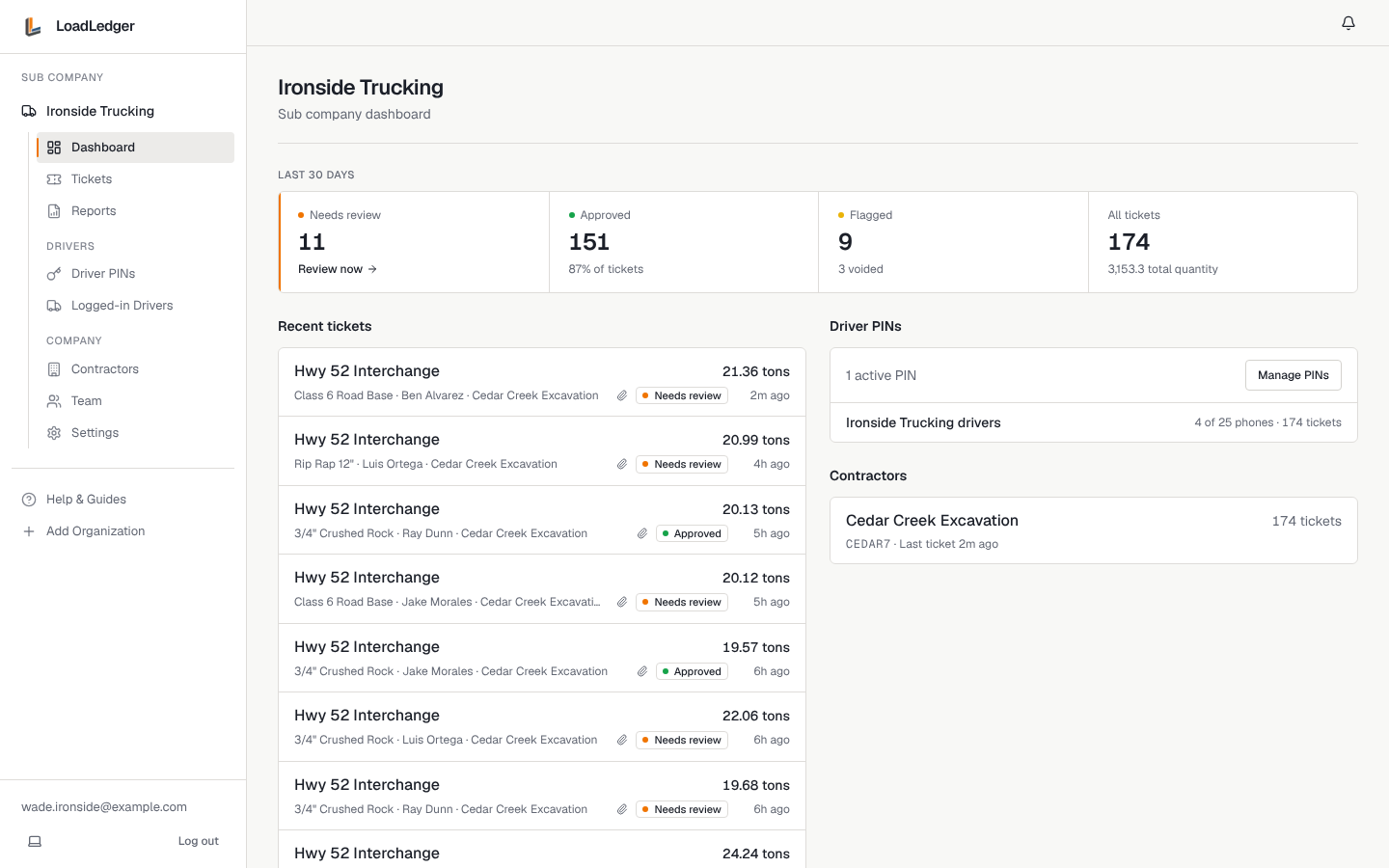
If you run a trucking company or you're an owner-operator hauling for contractors, your LoadLedger account is free. Your drivers log loads in the driver app, the contractor approves them, and you see every ticket your trucks submitted, so you can check it against what you're paid.
1. Connect to the contractors you haul for
The quickest way: open the invite or join link the contractor sent you, sign in (or sign up, free), and tap to connect. If they sent you an invite, you're connected right away; a join link sends them a request to approve.
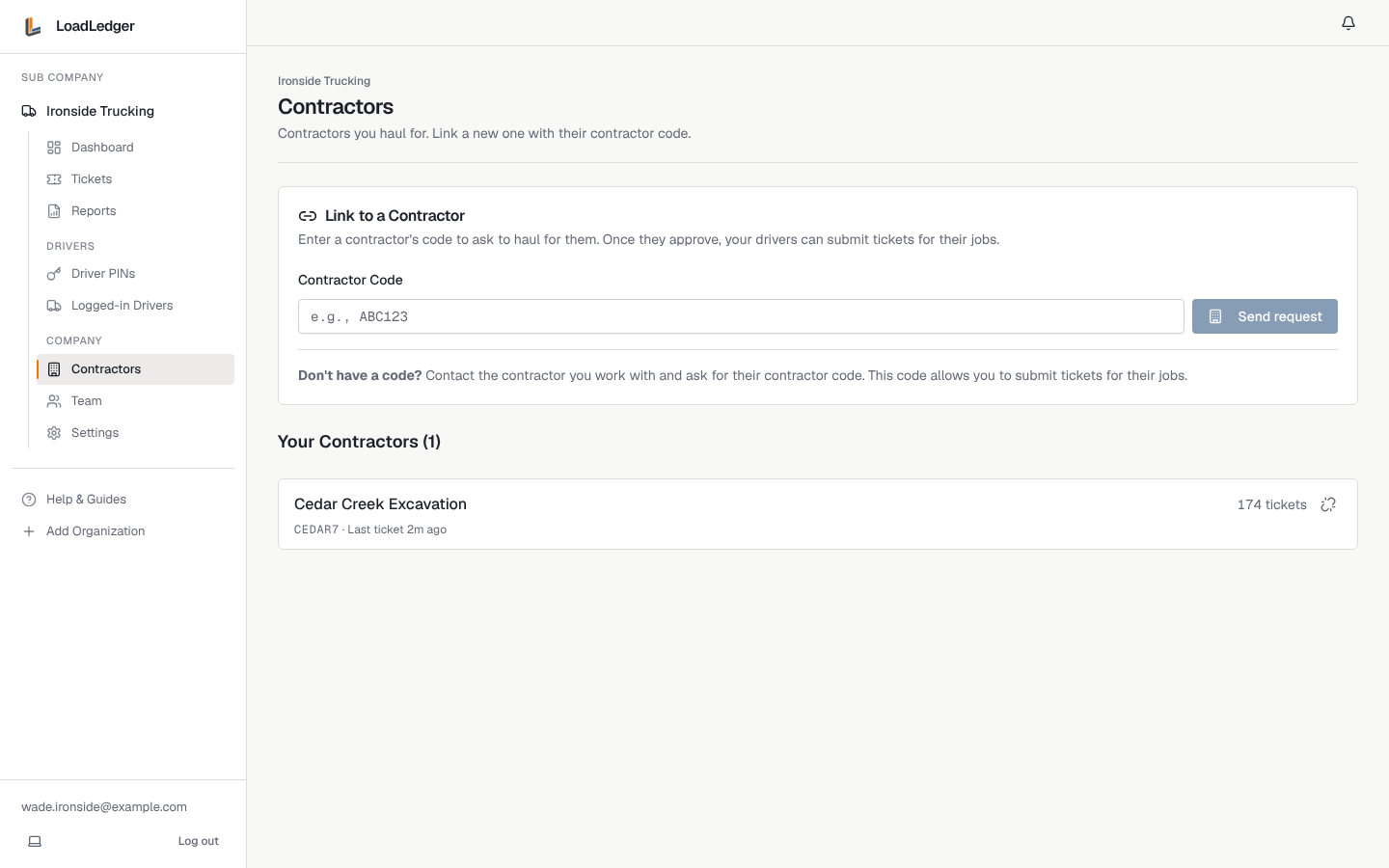
Or ask the contractor for their contractor code (a short code like CEDAR7). Then:
- Go to Contractors in the left sidebar
- Enter the code under Link to a Contractor and click Send request
- The contractor approves the request, and their company appears under Your Contractors
2. Create a PIN for your drivers
Your drivers sign in to the driver app with a PIN you create. Go to Driver PINs, click Create PIN, give it a label and the most phones that can use it. Share the 6-digit PIN with your drivers.
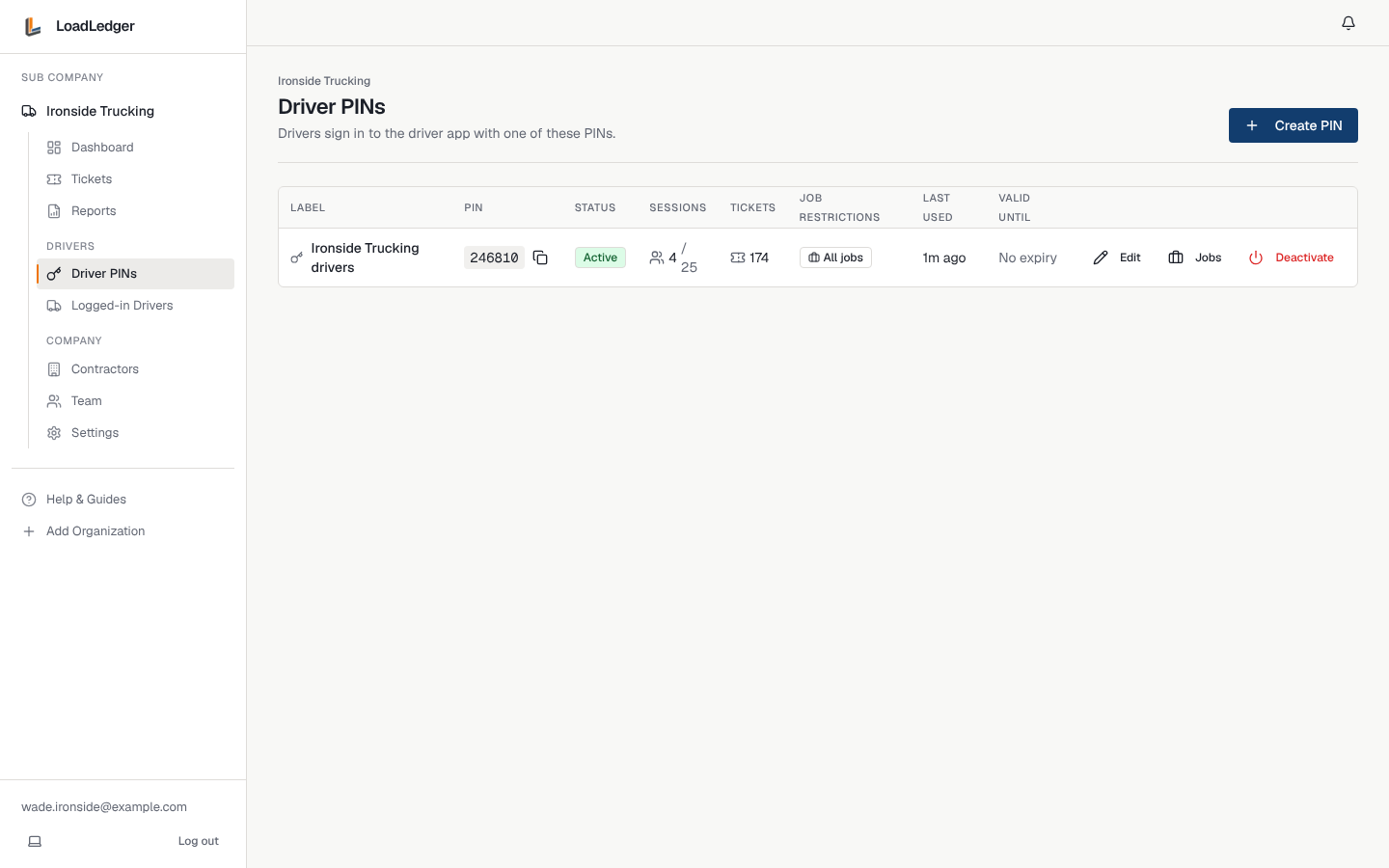
You can have one PIN for the whole fleet or separate ones (for example per crew), limit a PIN to certain jobs with Jobs, and Deactivate a PIN when someone leaves. See Adding Drivers and Team Members.
3. Your drivers start logging loads
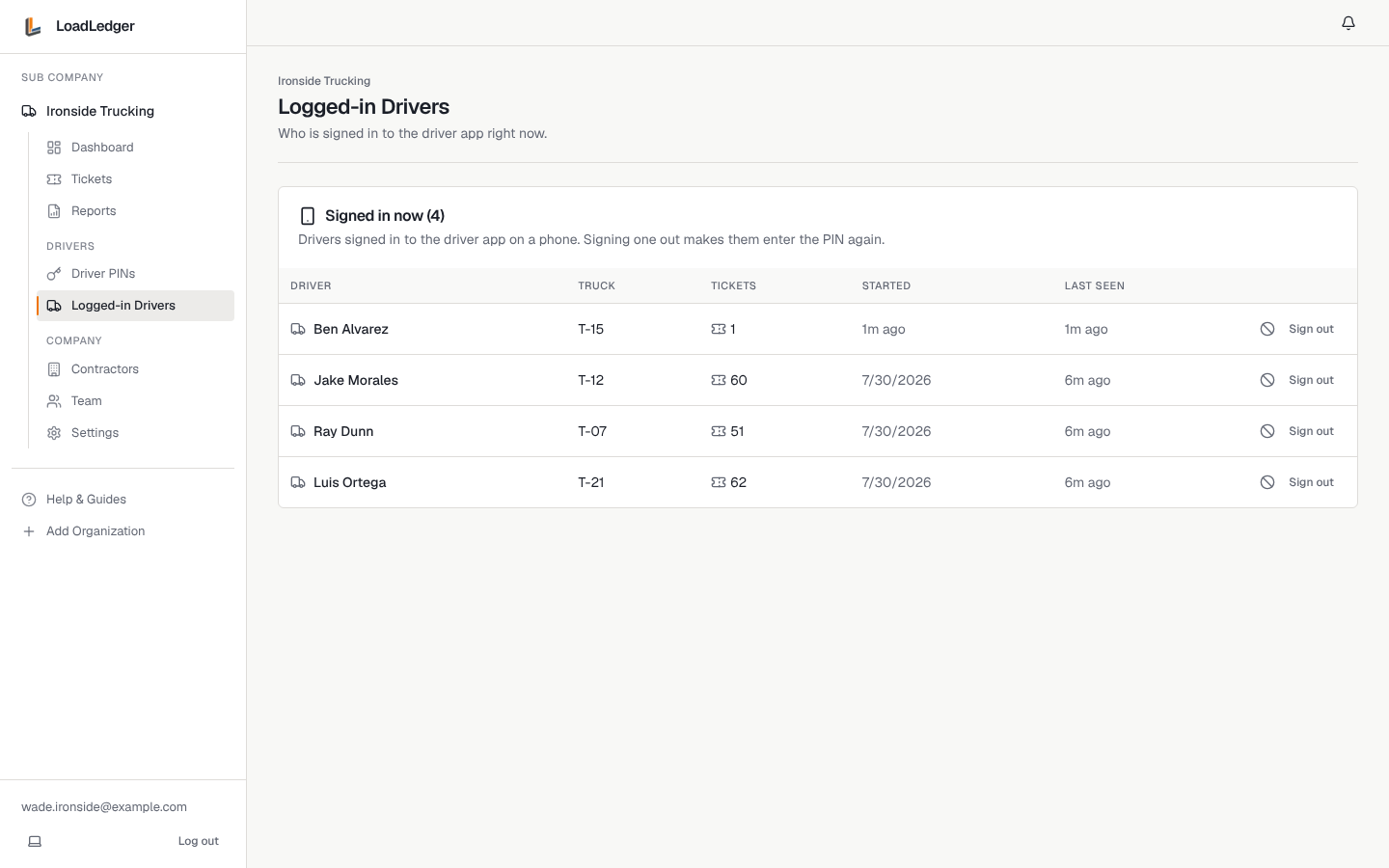
Send drivers to Logging In as a Driver and Submitting a Haul Ticket. Logged-in Drivers shows every phone signed in right now, the truck on it, and how many tickets it has sent. Sign a phone out from there if it's lost or a driver leaves.
Your tickets
Tickets lists every load your trucks submitted, for every contractor, with its status: needs review, approved, flagged or void. Filter by contractor, status or date, search, and Export CSV. If a driver couldn't use the app, click Submit Ticket to enter a load from the office.
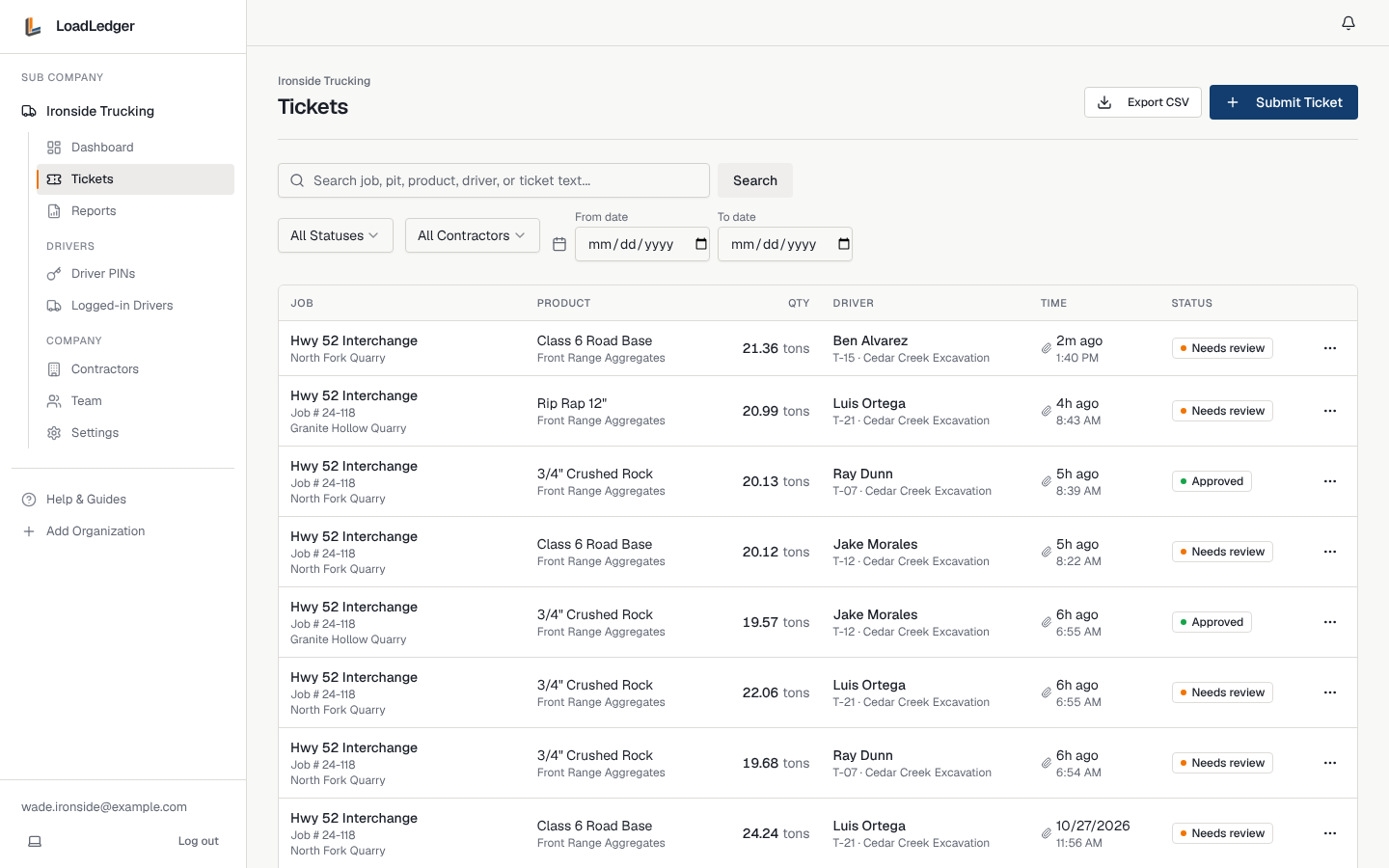
When a contractor flags a ticket, open it to see why and reply in Comments. The driver can fix it and resubmit from the app.
Reports
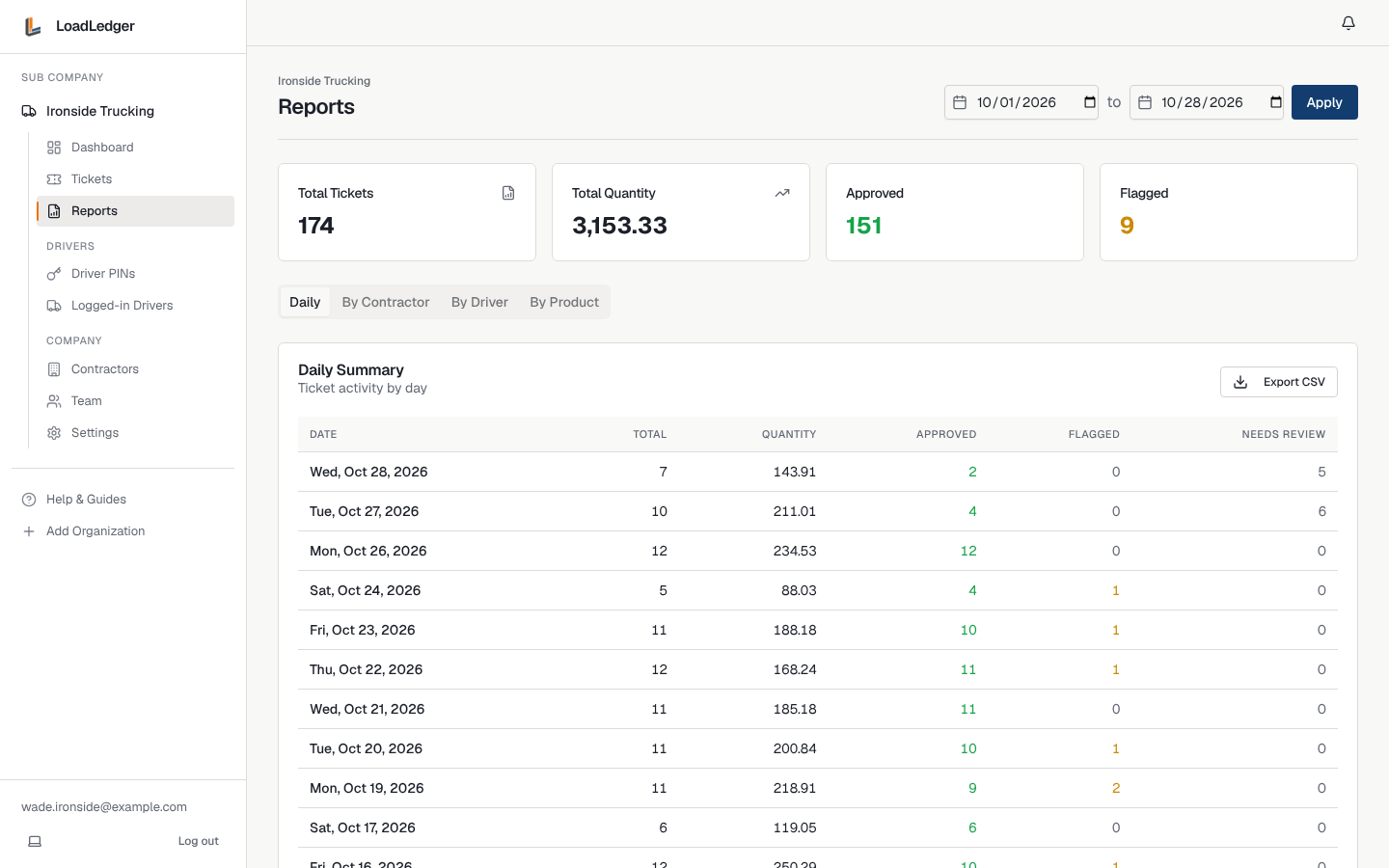
Reports totals your loads over a date range: by day, by contractor, by driver and by product. Use it to check a contractor's payment or settle up with your drivers, and export any view to CSV.
Your team
Invite your dispatcher or office manager under Team so they can manage PINs and keep an eye on tickets. Your company profile (logo, description, website, phone) under Settings lists you in the contractor catalog, so contractors on LoadLedger can find you.